


How To Look Up a Concord Email Address

Dec 03, 2025
 251
251
*Note this article applies to faculty and staff only using their Concord Email Account.
If you are unsure of the email address you are sending to, you can use the Global Address List to look it up:
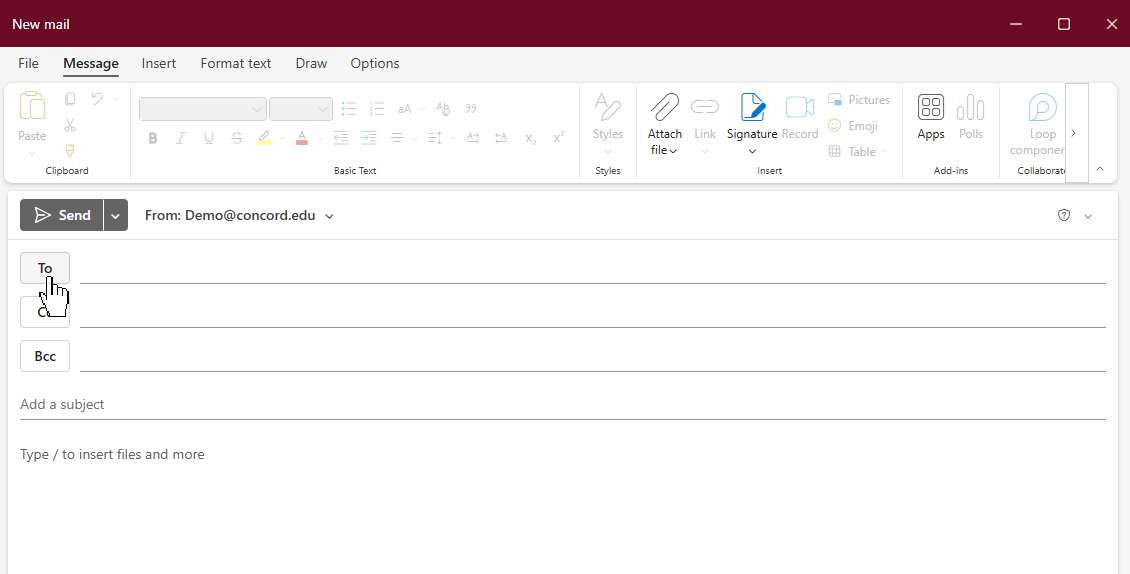
1) Compose a new email and click on the TO: button:
A new window will appear, select DEFAULT GLOBAL ADDRESS LIST on the left sidebar to search that list:
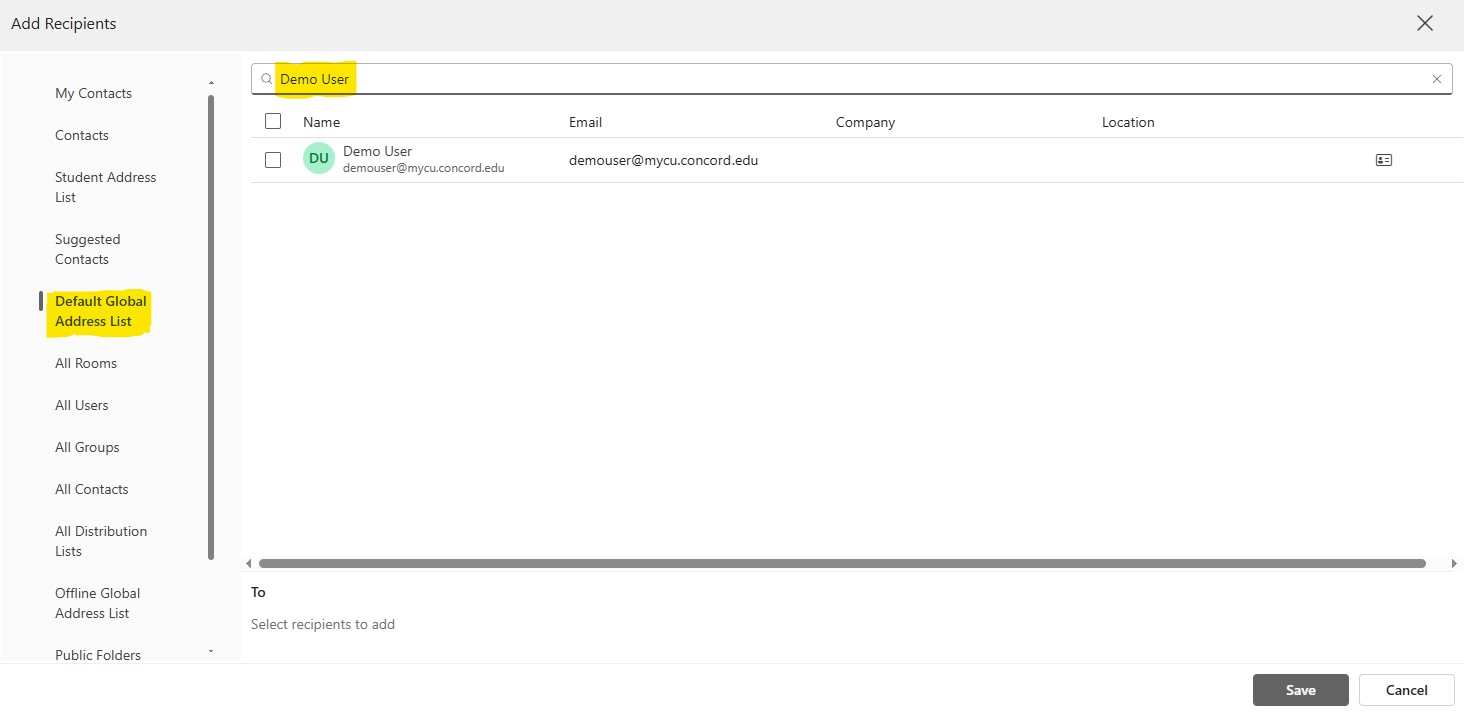
Type in the name of the person you are searching for at the top and a list of possible emails will show. Select the one you need and click SAVE to insert that address into the TO: field.
If you have any questions about this article, just contact the helpdesk.

